
Walkthrough
One purchase from start to finish.
A purchase takes about four minutes from start to finish.
The screenshots are from the real Kauppaholvi and show the Finnish interface; the same views are also available in English. I made the shop up: it's called Demokauppa, and the customer, cards and sums are examples. Nothing is saved from this page, and you can't make a real purchase with it.
-
01 Counter, tablet
The customer comes to the counter.
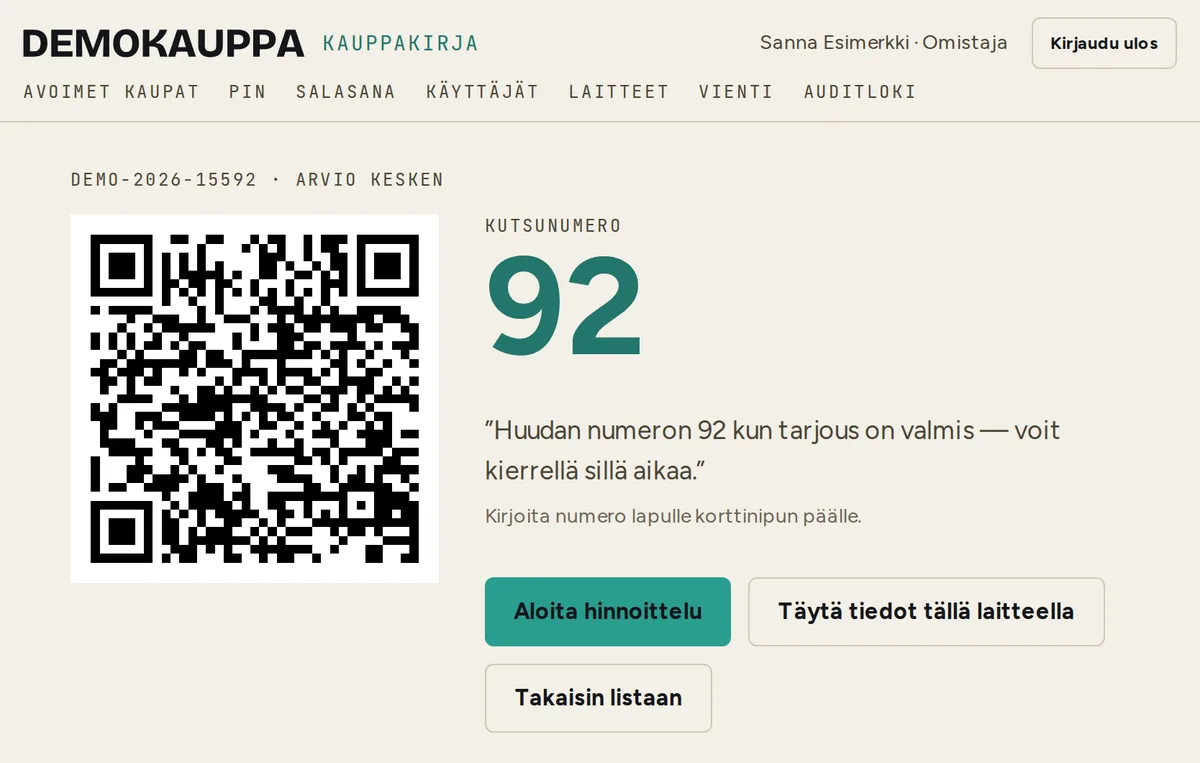
You tap “Uusi kauppa” (new purchase) on the tablet. The screen shows a QR code and a call number. You write the number on a slip and put the slip on top of the stack of cards. The customer is free to look around the shop while you price the cards.
If the customer has no phone, they fill in their details on the counter tablet.
-
02 Customer's phone
The customer fills in their own details.
The QR code opens a form on the customer's own phone. They type in their contact details, name and date of birth, address and bank account number. They can already read the contract terms at this point, so all that's left for the counter is the signature.
The details are encrypted from the very first save. For a minor, the guardian's details are asked for as well.
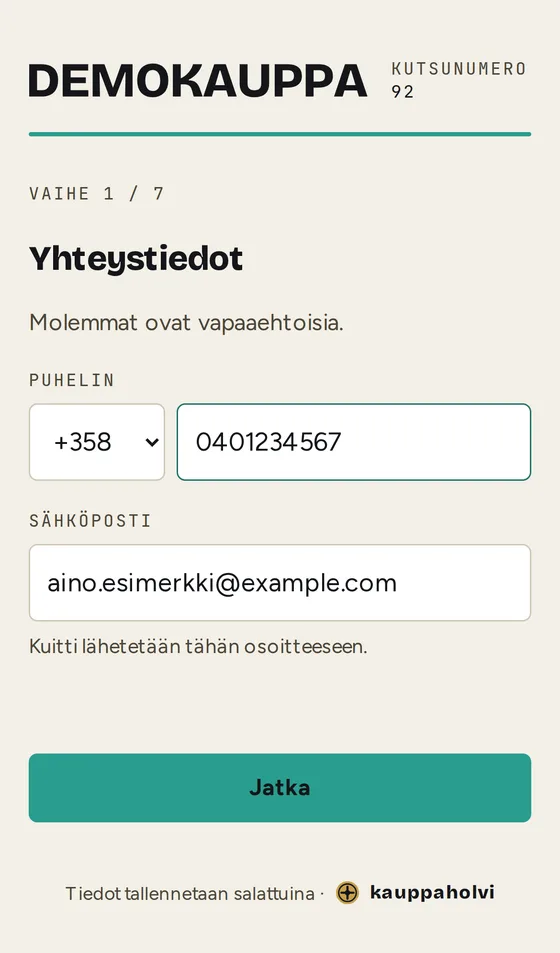
Step 1 / 7 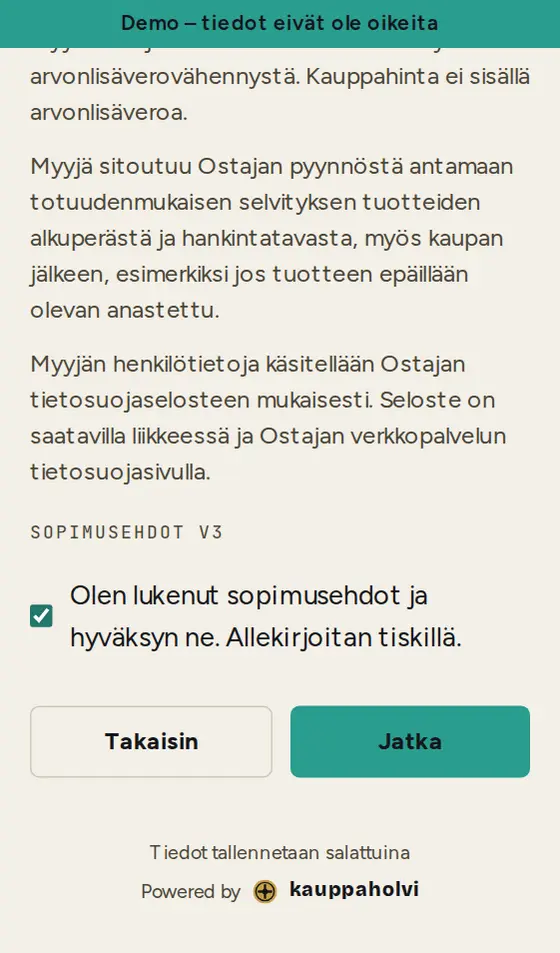
Contract terms 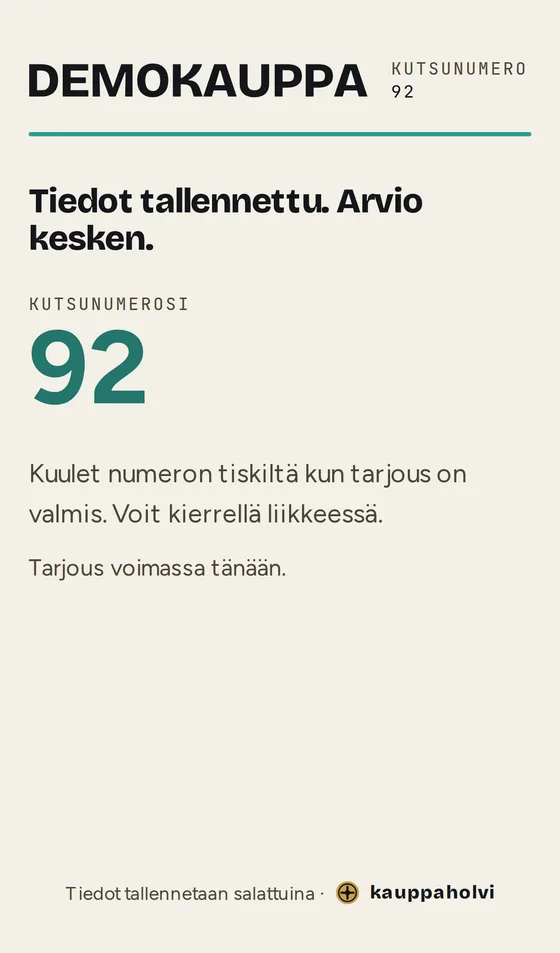
Waiting -
03 Counter, tablet
You do the pricing.
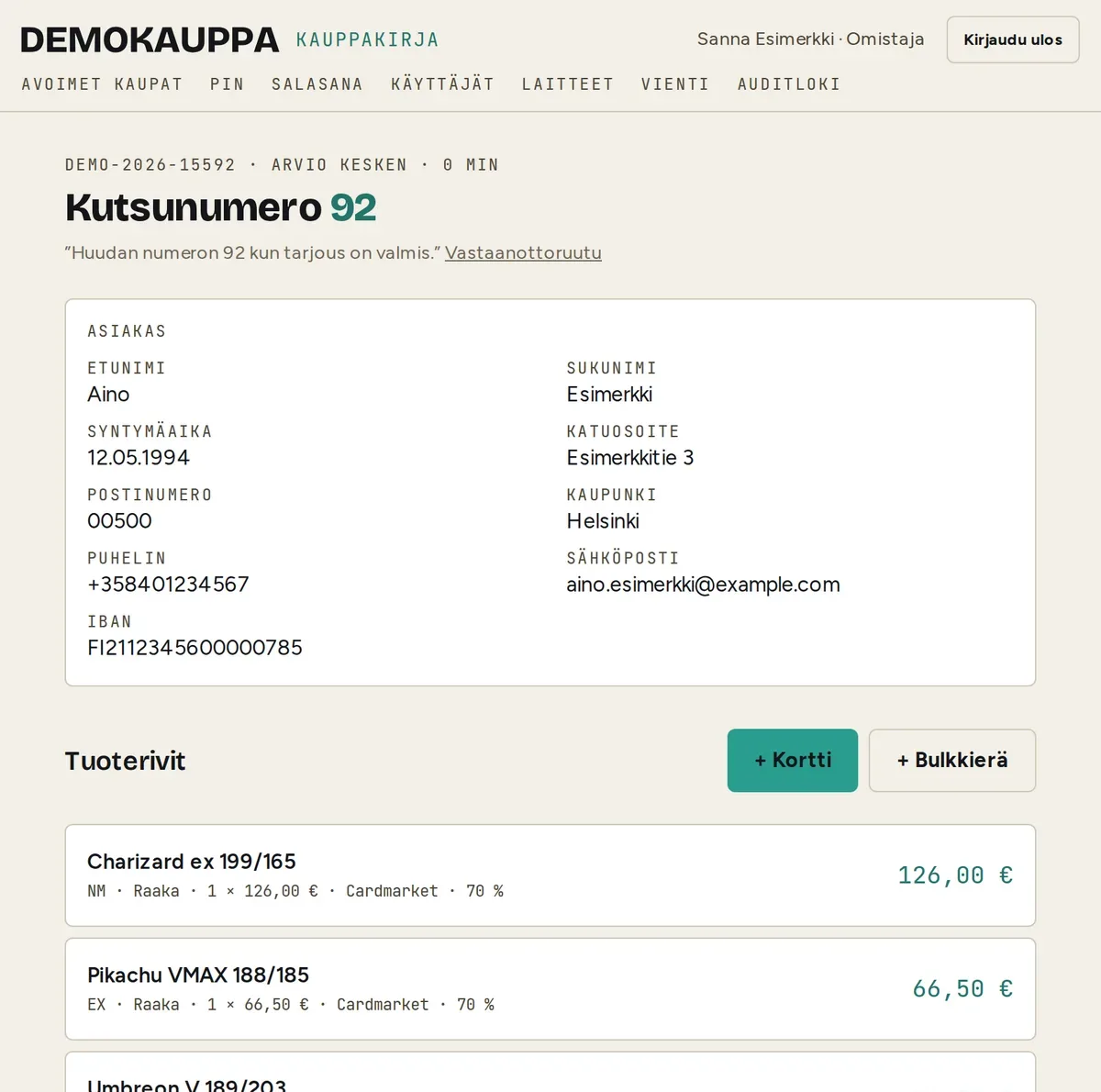
Valuable cards go on lines of their own and the rest on one bulk line. Each line gets a condition on the Cardmarket scale, a market price and its source, and Kauppaholvi works out the purchase price from the buy percentage. You see the details the customer entered on the same screen, behind a PIN.
For a graded card, the grade and the certificate number are kept too.
-
04 Customer's phone
The customer decides line by line.
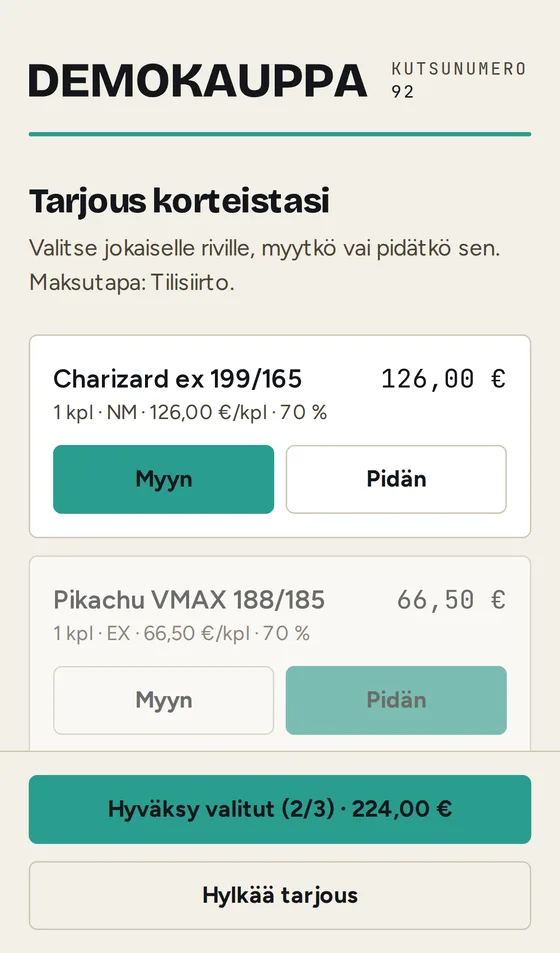
Your offer arrives on the customer's phone. They go through it line by line: I'll sell this one, I'll keep that one. The total follows their choices. Accepting takes a second tap, so the offer can't accept itself in a pocket.
The customer can also decline the offer and leave a comment. If they're already standing at the counter, they make the same decision on the tablet.
-
05 Counter, tablet
You check the cards and the customer's ID.
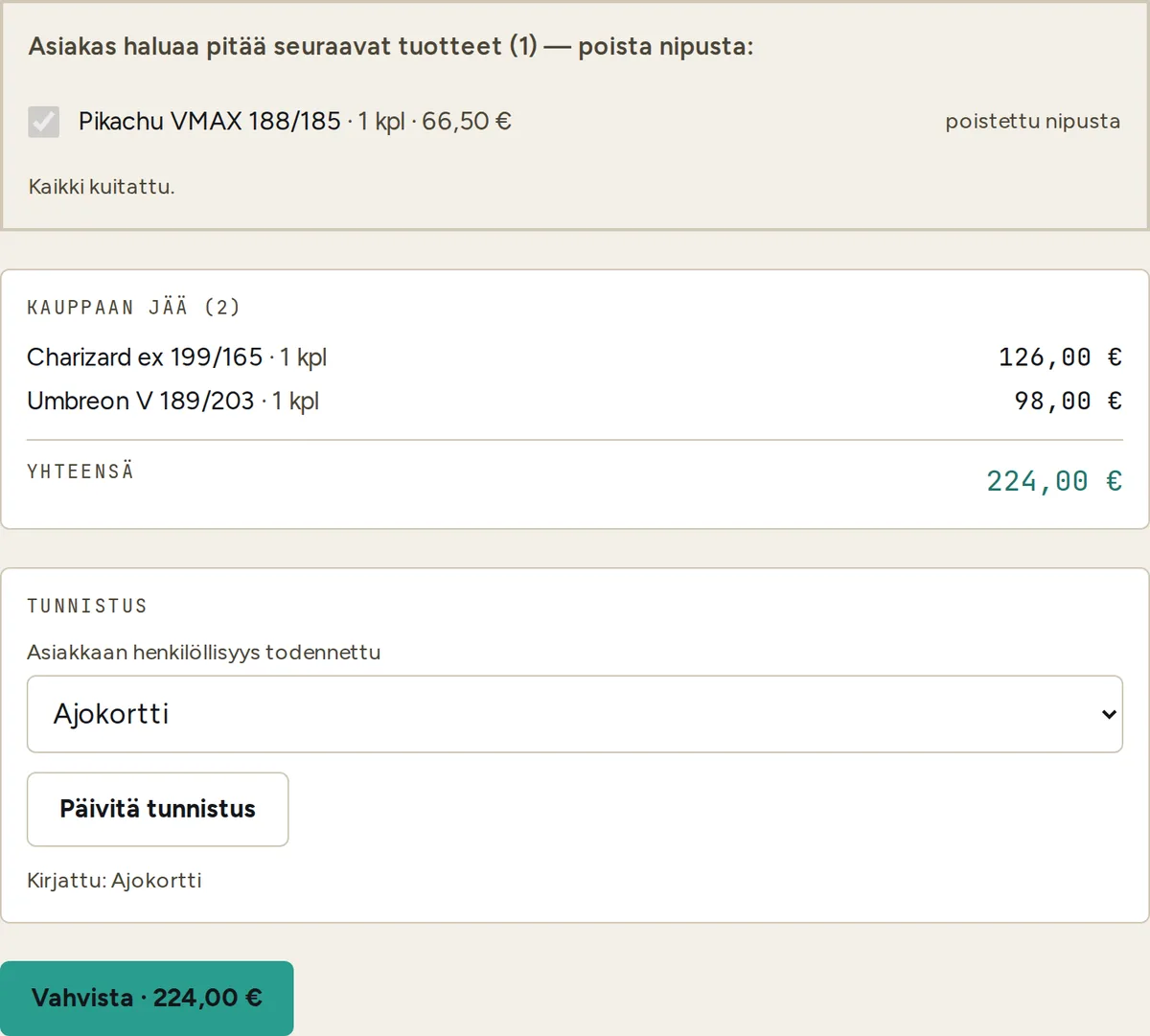
You take the cards the customer is keeping out of the stack and tick them off. You check the customer's identity and record which document you checked it from. Only then is the purchase locked for signing.
-
06 Counter, tablet
A signature on the tablet.
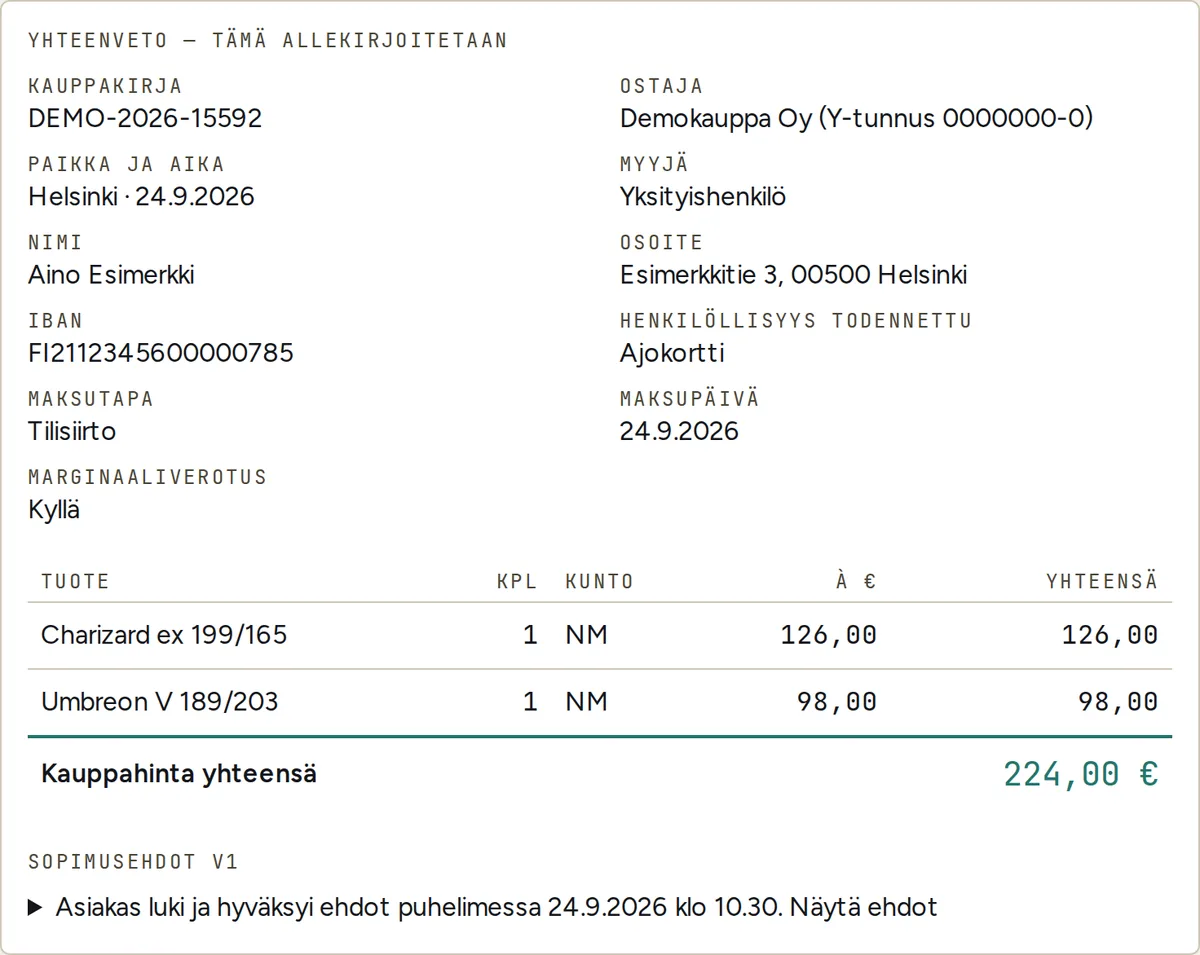
The screen shows exactly what gets signed: the parties, the lines, the total, the payment method and the contract terms. The customer and the shop's representative sign on the tablet screen, and the bill of sale is sealed.
If the customer already accepted the terms on their phone, they're still one tap away. If the bill of sale is changed afterwards, it shows when the seal is checked.
07 Documents
Three documents, one for each reader.
One purchase, three documents. Each reader gets only what they need. The samples are in Finnish, and every page is marked “DEMO – EI KELPAA TOSITTEEKSI” (demo, not valid as a voucher).
-
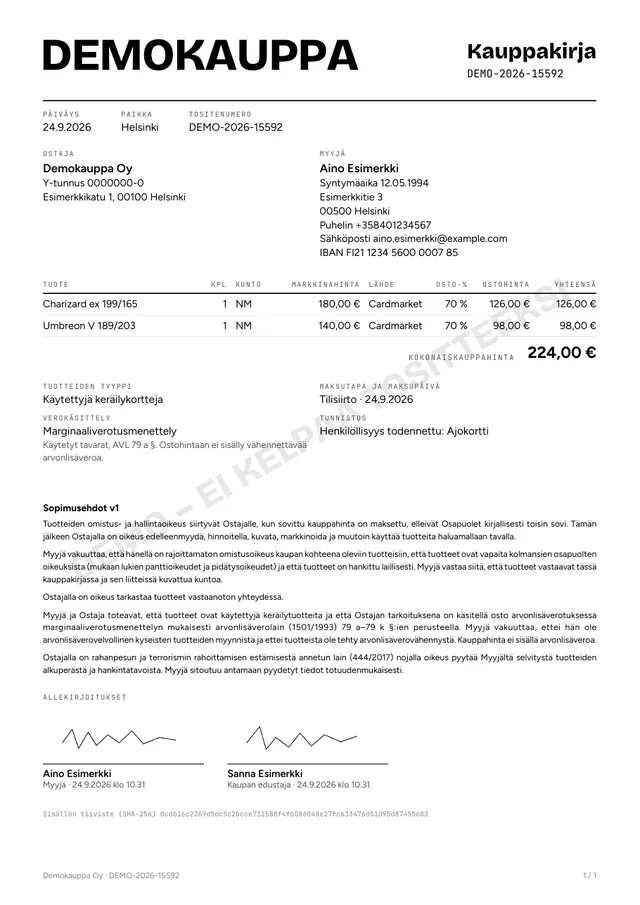 Bill of sale
For you. Everything is in it: the details, market prices, terms and signatures. It opens with a PIN, and every opening leaves a mark.
Download PDF
-
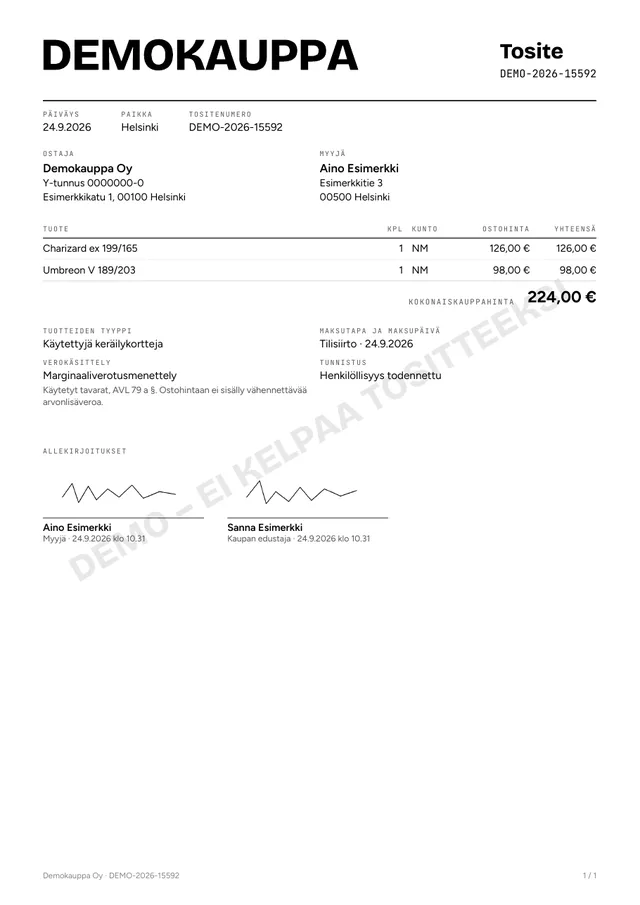 Accounting voucher
For your accountant. Only what the books need, without the bank account number or contact details. Sent in an encrypted package at the turn of the month.
Download PDF
-
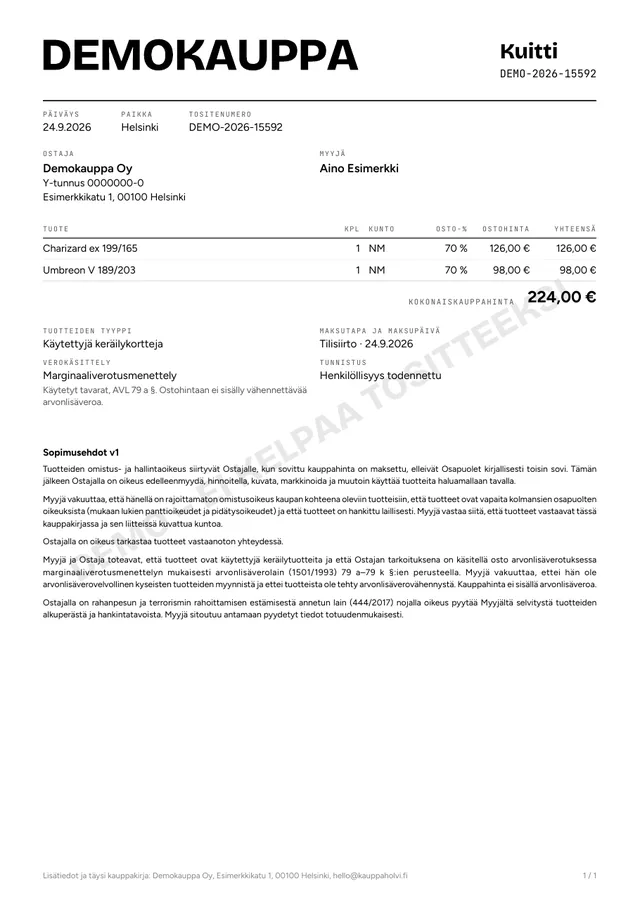 Receipt
For your customer. The lines, the total and the signed terms. Sent by email, and the customer can download it to their phone from a link that is valid until the evening of the next day.
Download PDF
Let's go through it together. Half an hour is enough.
I'll walk you through one ordinary purchase from start to finish.
Message me and I'll show youSend me a message: hello@kauppaholvi.fi
€50 a month per shop (+ VAT)
Three devices are included, and each extra device is €5 a month (+ VAT). Set-up costs €290 + VAT once, and that gets everything ready for you: your business's own server, your devices connected and me a phone call away on your first day.